
Your website is often the first impression people have of your business. And in today's digital age, that first impression happens in seconds. A poor design can send potential customers running—and the numbers don't lie. Research shows that 38% of users abandon a website if it's poorly designed, while 88% cite poor user experience (UX) as the primary reason. On the other hand, a well-designed business website can boost conversions by up to 200%.
Making your website visually appealing, functional, and user-friendly isn't just a "nice to have"—it's essential. But what should you watch out for? Below, we'll share the 18 most common website redesign mistakes and practical tips to avoid them. Let's make your site one that visitors will love!
1. Defining Business Objectives and Goals
Determining your business objectives and goals is crucial before embarking on the website redesign process. This step ensures that your redesigned site aligns with your overall strategy and helps you achieve your desired outcomes. Whether you aim to increase website traffic, generate more leads, improve conversion rates, or enhance brand awareness, having clear objectives will guide your redesign efforts and keep everyone on the same page.
Start by asking yourself these key questions:
- What are our company's overall business objectives?
- How does our website fit into these objectives?
- What specific goals do we want to achieve with the redesigned website?
- How will we measure the success of the redesigned website?
By answering these questions, you can create a clear and concise set of business objectives and goals that will serve as a roadmap for your website redesign process. This clarity will help you make informed decisions and ensure that your new site effectively supports your business strategy.
It's important to have clear reasons for redesigning your website. That's why it's always a good idea to figure out what you need before contacting a website design company. You might have goals like…
- To reduce the bouncing rate of the website
- Increase the site visitors
- To develop sales revenue
- To make the existing website responsive to mobile devices and ensure a well-designed mobile site.
2. Moving Ahead without Planning
Plan your work and work your plan—it's really that simple. Your website redesign should be a smooth process from start to finish. One common mistake many web developers make is taking the old website offline for too long while working on the new one. Avoid this, and you'll keep things running without a hitch.
- Auditing your current website's performance
- Identify Your Target Customers
- Evaluation of Competitors
- Reviewing your website's content
- Taking inventory of your website's assets
- Identifying ways to achieve your goals with the redesign process
3. Conducting Keyword Research
Keyword research is a fundamental step in the website redesign process. It helps you understand what your target audience is searching for and allows you to optimize your content to improve search engine rankings. Incorporating relevant keywords into your website can attract more visitors and drive organic traffic.
Here's how to get started with keyword research:
- Identify your target audience and their search habits. Understand what terms and phrases they use when looking for products or services like yours.
- Use keyword research tools such as Google Keyword Planner or Ahrefs to find relevant keywords. These tools can provide insights into search volume, competition, and related keywords.
- Analyze your competitors' websites to see what keywords they are targeting. This can give you ideas and help you identify gaps in your own keyword strategy.
- Create a list of target keywords and phrases to incorporate into your website's content. Focus on a mix of short-tail and long-tail keywords to cover a broad range of search queries.
Conducting thorough research on keywords can help you create a website that is optimized for search engines and more likely to attract your target audience. This step is essential for improving your search engine rankings and driving more traffic to your site.
4. Slow Loading Speeds
Let's face it—users don't like to wait. In fact, studies show that if your website takes more than 3 seconds to load, 53% of visitors will leave before they even see what you have to offer. That's half your audience, gone in an instant
Determining your redesign goals is crucial before diving into the design process, and it is also part of a comprehensive website redesign plan. Why does this happen? Website users expect a fast, seamless experience, and slow-loading pages can feel like a frustrating roadblock. The culprits are often overloaded images, unoptimized code, or unreliable hosting.
The good news? These issues are fixable. By streamlining your new website, optimizing assets, and using a solid hosting service, you can keep users engaged and ensure they stick around to explore what you've worked so hard to create. Because in today's fast-paced world, site speed isn't just nice to have—it's essential.
How to Fix It:
- Compress images without losing quality using tools like Optimizilla.
- Use lazy loading for images and videos to delay their loading until necessary.
- Choose reliable web hosting with fast server response times.
5. Mobile Optimization
Did you know that over 60% of web traffic now comes from mobile devices? That means most people visit your website on their phones or tablets. If your site isn't mobile-friendly and doesn't adjust seamlessly to different screen sizes, you could lose potential customers within seconds. A well-defined redesign strategy should include making your website mobile-optimized to ensure it adjusts seamlessly to different screen sizes. Mobile users expect smooth, easy navigation; when they don't get it, they're quick to leave and find mobile-friendly websites that deliver a better experience. Making your website mobile-optimized isn't just a nice-to-have anymore—it's essential for keeping visitors engaged and turning them into loyal customers.
How to Fix It:
- Use a responsive web design framework, such as Bootstrap.
- Test your site's compatibility across multiple devices and screen resolutions using tools like SE Ranking's Mobile-Friendly Test.

6. Weak or Generic Calls-to-Action (CTAs)
You could have the most amazing content strategy or the best products in the world, but it's all for nothing if your website visitors don't know what to do next. A weak, unclear, or invisible call-to-action (CTA) can leave users feeling confused or stuck, and in many cases, they'll just leave your web pages altogether. That's why having a clear, engaging CTA is so important—it guides your audience, helps them take the next step, and ensures they stay connected with your content or offerings. Don't let them guess what to do—make it easy, obvious, and inviting!
How to Fix It:
- Write clear, action-driven CTAs like "Sign up for free!" or "Get started today!"
- Use contrasting button colors to make your CTAs stand out.
7. Unclear or Vague Messaging
When someone visits your website, can they instantly understand what it's all about? If not, chances are they'll click away without a second thought. Clear messaging should be a key focus of your redesign project. Site visitors don't want to spend time figuring things out—they want clarity and quick answers. That's why your messaging is so important. It should communicate your value proposition in a simple, direct, and relatable way. The clearer your message, the more likely visitors will stick around and engage with what you offer.
How to Fix It:
- State your value upfront. For example, "Affordable Web Design for Startups."
- Use a tagline or hero section to outline your key offering.
8. Overcrowded Interfaces
Imagine visiting a website that has too much information on one page. It feels chaotic, and you're not sure where to look first. Should you click that button? Scroll down? Read the text? This can quickly become overwhelming and even frustrating. Careful planning and attention to detail are crucial during website redesigns to avoid such issues. When users feel lost or confused, they're more likely to leave the site altogether. A clean, focused design looks better and helps visitors navigate easily, creating a more enjoyable experience.
How to Fix It:
- Adopt a minimalist design—use white space for clarity.
- Prioritize content by focusing on one message or objective per page.
9. Difficult-to-Read Font Sizes
Have you ever come across a website or an app with fonts so tiny or overly fancy that you could barely read the content? It's frustrating, right? Poor font choices, like small text or complicated typefaces, can make it difficult for users to engage with the information they're looking for, often leaving them annoyed or ready to give up altogether. Clear, readable typography isn't just about aesthetics—it's about creating a better experience for everyone.
How to Fix It:
- Stick to a minimum font size of 16 pixels for body text.
- Pair clean, web-safe fonts like Arial or Helvetica with headings in larger, bold fonts.
10. Lengthy, Unscannable Blocks of Text
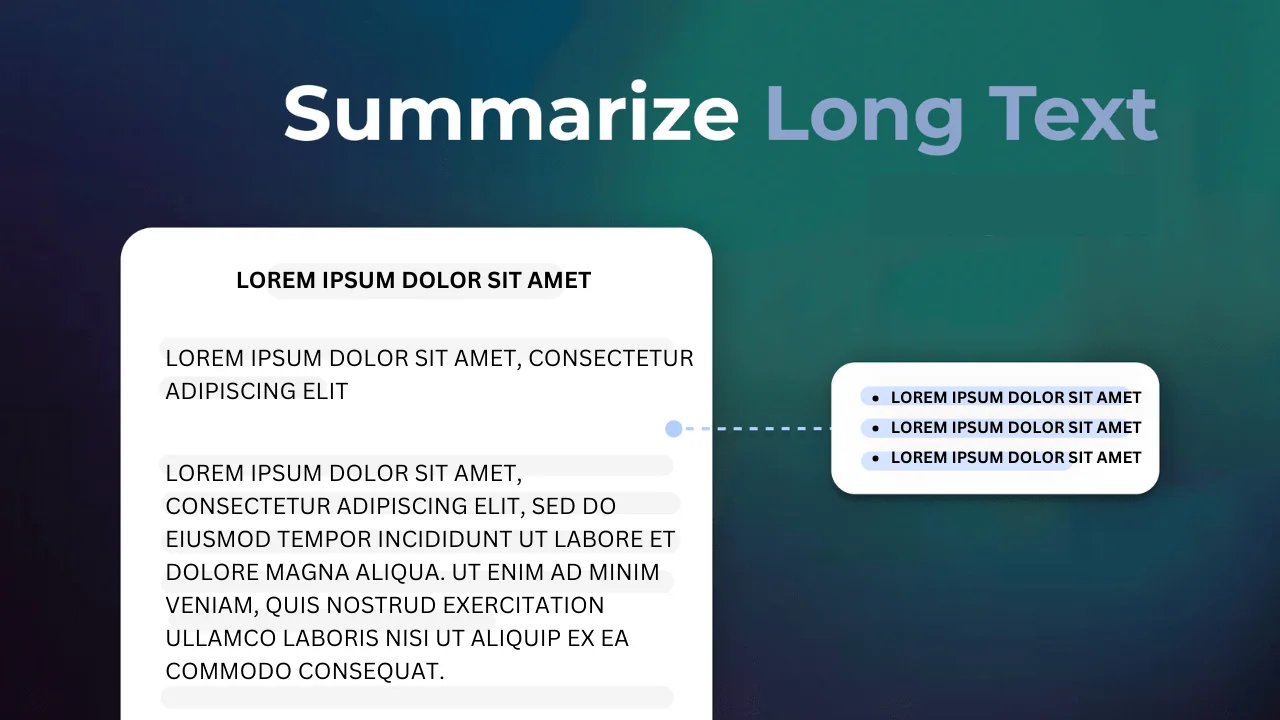
Let's face it—most people don't read every word on a website. They skim, looking for the key points that catch their eye. If your content is packed into big blocks of text, it can feel overwhelming and drive visitors away. Breaking things up with shorter paragraphs, clear headings, and plenty of white space can make your high-performing content more inviting and easier to digest, keeping users engaged and encouraging them to stick around.
How to Fix It:
- Use subheadings, bullet points, and short paragraphs to make text scannable.
- Add visuals or infographics to break up dense content.
11. Lack of a Defined Target Audience
Designing a website without thinking about who your audience is is like having a conversation where no one is listening. The visuals might look great to you but feel out of place to them. The messaging could miss the mark entirely, and the tone might not resonate at all. To truly connect, you need to step into their shoes, understand their needs, and design with them in mind. Otherwise, it's just a mismatch that leaves your audience feeling disconnected and uninterested.
How to Fix It:
- Create user personas that represent your target audience.
- Cater your visuals, tone, and features to their needs.
12. Poorly Accessible or Hidden Navigation and Broken Links
Imagine landing on a website and feeling completely lost, unsure where to click or how to find what you need. Frustrating, right? If visitors can't easily navigate your site or locate what they're looking for, they're likely to give up and leave. Clear, intuitive navigation is essential to keep users engaged and ensure they have a positive experience. After all, no one wants to waste time hunting for information—it should feel effortless.
How to Fix It:
- Keep your navigation consistent and visible on every page.
- Use simple labels like "About Us," "Shop," or "Contact."
13. Generic, Uninspired 404 Pages
Imagine clicking on a link, excited to find the information you need, only to land on a bland "404 Error" page. It's frustrating, right? Broken links not only disrupt the user's journey but also increase the chances of them leaving your site altogether. A lacklustre error page can make users feel lost or unimportant, which is why creating a helpful, engaging 404 page is essential for keeping your audience connected and guiding them back on track.
How to Fix It:
- Create a custom 404 page with humor or helpful links suggesting where users can go next.
14. Ineffective or Poor Typography Choices
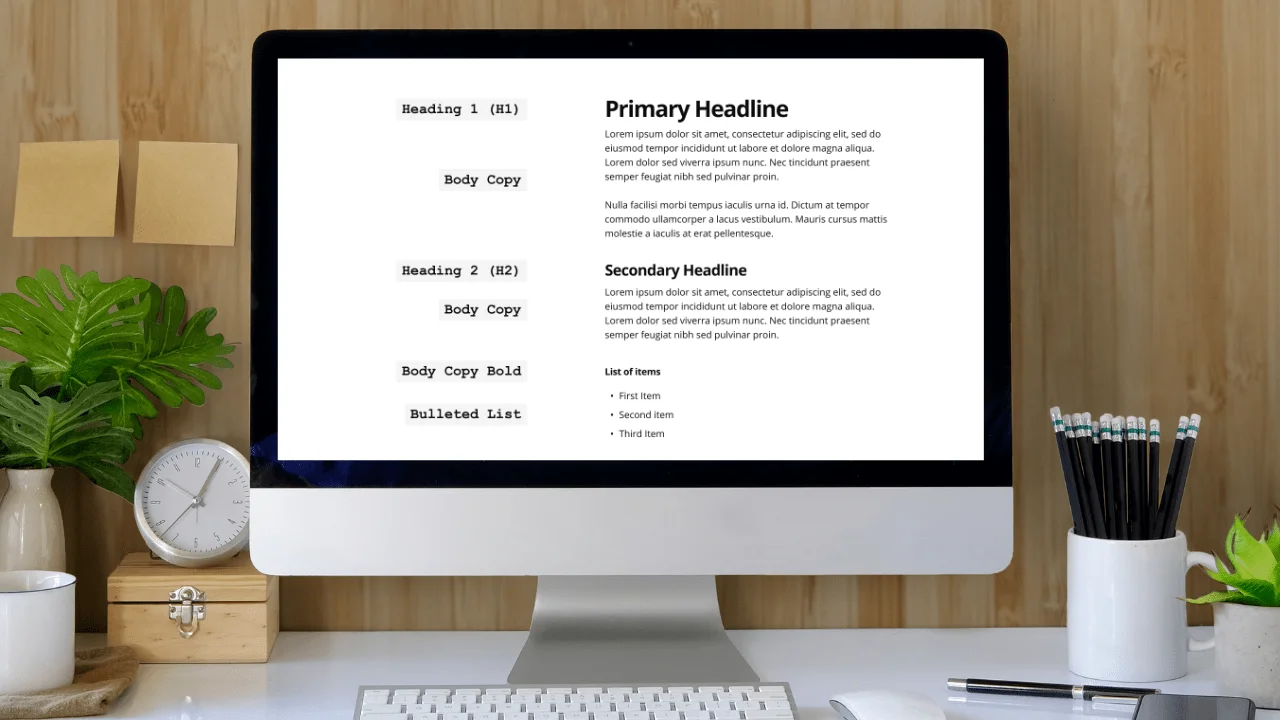
Choosing decorative fonts that are difficult to read or mixing too many font styles can make your website feel cluttered and unwelcoming. Visitors might struggle to read your content or find it visually overwhelming, which could lead them to leave your site faster. Instead, aim for clean, readable fonts and limit the number of styles you use to create a more inviting and user-friendly experience.
How to Fix It:
- Limit yourself to a maximum of two font families for consistency and readability.
15. Repetitive or Duplicate Content
Did you know that search engines can penalize your site for having duplicate content? That's why it's so important to avoid copy-pasting the same text across multiple pages. Instead, focus on creating unique, high-performing content for each page. Not only will this improve your organic search rankings, but it will also provide a better experience for your audience. After all, no one wants to read the same thing over and over again!
How to Fix It:
- Use original, high-quality copy on all pages.
- Audit your site regularly for mistakenly repeated content.
16. Overloaded Pages with Too Many Elements
Filling your website with too many animations or unnecessary widgets might seem like a good idea to grab attention, but it often does more harm than good. It can slow down your site's performance, making pages load more slowly and leaving visitors feeling overwhelmed or frustrated. A clean, focused design not only helps your site run smoothly but also makes it easier for users to find what they need and have a more enjoyable experience. Less is often more when it comes to great web design!
How to Fix It:
- Remove or replace unnecessary features with lightweight options.
- Keep your design focused on your business objectives.
17. Low Contrast Between Colors, Hindering Visibility
Have you ever tried reading something with faint text on a light background? It's frustrating, isn't it? Now, imagine how much harder it would be for someone with visual impairments.
Low-contrast text and backgrounds don't just make things inconvenient—they can make content completely inaccessible for many people. Designing with accessibility in mind means choosing colours and contrasts that everyone can read comfortably, ensuring your message reaches and includes all audiences.
How to Fix It:
- Use high-contrast colour combinations for text and backgrounds.
- Run contrast checker tools like WebAIM to ensure accessibility compliance.
18. Ignoring SEO in Website Redesign Mistakes
A stunning website is only half the battle—it's not much use if people can't find it. That's where SEO (Search Engine Optimization) comes in. Without good SEO performance, your site risks getting buried in search engine results, making it nearly invisible to potential visitors. Think of it like having a beautiful storefront on a hidden back alley—no matter how great it looks, no one will know it's there. To truly make an impact, your website needs to be as easy to discover as it is to navigate.
How to Fix It:
- Do a comprehensive SEO audit your business using tools like Ahrefs or SEMrush.
- Optimize title tags, meta descriptions, and existing content for SEO.
19. Optimizing for Lead Generation
A key website redesign goal should be optimizing for leads. This means designing your site to encourage visitors to take action and convert into leads. By implementing effective lead generation strategies, you can increase the number of potential customers and drive more revenue for your business.
Consider these strategies to optimize your website for generating leads:
- Create clear and concise calls to action (CTAs). Make sure your CTAs stand out and guide visitors to take the next step, whether it's signing up for a newsletter, downloading a resource, or making a purchase.
- Use forms and landing pages to capture lead information. Design these elements to be user-friendly and ensure they are strategically placed throughout your site.
- Incorporate lead magnets such as eBooks, whitepapers, or exclusive content to entice visitors to provide their contact information. Offering valuable resources can significantly boost your lead-generation efforts.
- Use A/B testing to optimize your lead generation strategies. Test different versions of your CTAs, forms, and landing pages to see what works best and make data-driven improvements.
Focusing on lead generation during your website redesign process can help you create a site that attracts visitors and converts them into valuable leads for your business.
20. Designing for Brand Identity
Your website is a reflection of your brand, and it's essential to design it to communicate your company's values and personality. A strong brand identity helps create a consistent and recognizable image that resonates with your audience.
Here are some key elements to consider when designing for brand identity:
- The colour palette and typography: Choose colors and fonts that align with your brand's personality and create a cohesive look across your site.
- Logo and branding elements: Ensure your logo and other branding elements are prominently displayed and consistently used throughout your website.
- Imagery and graphics: Use high-quality images and graphics that reflect your brand's style and message. Visuals play a significant role in creating an emotional connection with your audience.
- Tone and voice: Maintain a consistent tone and voice in your content that aligns with your brand's personality. Whether it's professional, friendly, or playful, your tone should resonate with your target audience.
By incorporating these elements into your website design, you can create a consistent and recognizable brand image that strengthens your connection with your audience and enhances your overall brand identity.
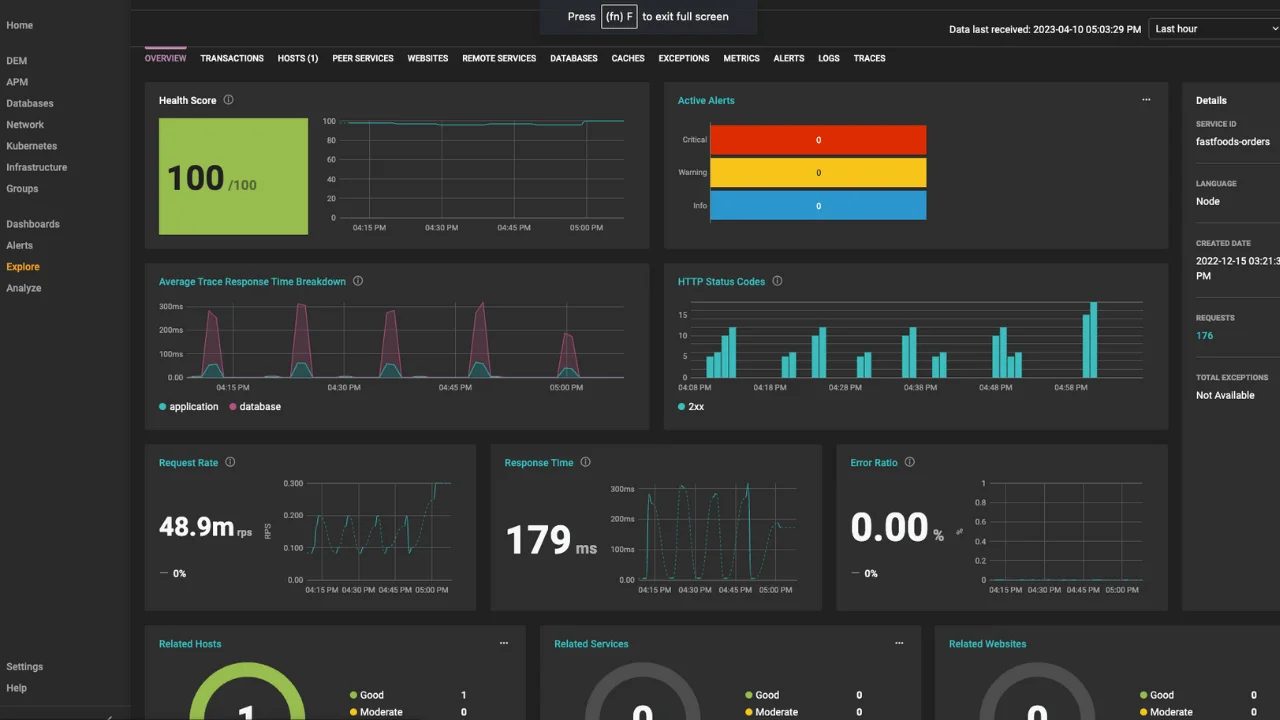
21. Monitoring Current Performance Metrics
Monitoring your current performance metrics is essential to ensuring the success of your website redesign. Tracking these metrics provides a baseline for measuring the impact of your redesign and helps you identify areas for improvement.
Key metrics to track include:
- Website traffic and engagement: Monitor page views, bounce rates, and time on site to understand how visitors interact with your website.
- Conversion metrics: Track form submissions, phone calls, and sales to measure how effectively your site is converting visitors into leads and customers.
- Search engine rankings: Monitor your keyword performance and search engine rankings to ensure your site is visible to your target audience.
- Mobile device and browser performance: Ensure your site performs well across different devices and browsers to provide a seamless experience for all users.
By regularly monitoring these metrics, you can create a baseline for measuring the success of your redesigned website and make data-driven decisions to continuously improve its performance. This ongoing analysis is crucial for maintaining a high-performing website that meets your business objectives.
22. Accessibility Issues to Look Out For
As we've seen, web accessibility is crucial for creating an inclusive and user-friendly website. But what exactly should you be on the lookout for when it comes to potential issues? Here are a few common culprits:
- Small font sizes that make it hard to read text.
- Inconsistent page layouts or navigation menus that confuse users.
- Missing alternative text for images, making it difficult for screen readers to understand the content.
- Non-responsive designs that aren't optimized for different devices and screen sizes.
So next time you're working on your website design, remember these key points:
- Keep accessibility in mind from the start of your design process.
- Utilize tools and resources to ensure accessibility compliance.
- Don't underestimate the power of good SEO practices.
- Be aware of common accessibility issues and actively work to resolve them.
By following these guidelines, you can create a website that looks great and welcomes all visitors with open arms. Now, get out there and design something amazing! Let's make the web a more inclusive place for everyone. Happy designing!
Why Website Design Matters for Your Success
Your website is like your digital storefront—it's often the first impression someone has of your business. Imagine walking into a store with messy aisles and unclear signage; you'd probably turn around and leave, right? The same goes for your website. A poorly designed site can turn potential customers away before they even get to know what you're offering.
With just a few thoughtful design tweaks, you can create a better user experience that feels intuitive and welcoming. A clean, easy-to-navigate website builds trust with your audience and encourages them to stay, explore, and ultimately make a purchase. Your website should work for you, not against you—so why not make it the best it can be?
Don't know where to start? Partner with My Cheap Web Design for professional, affordable website design that gets results. Together, we'll create a site that wows your audience and supports your business goals!
